02 Oct 2026
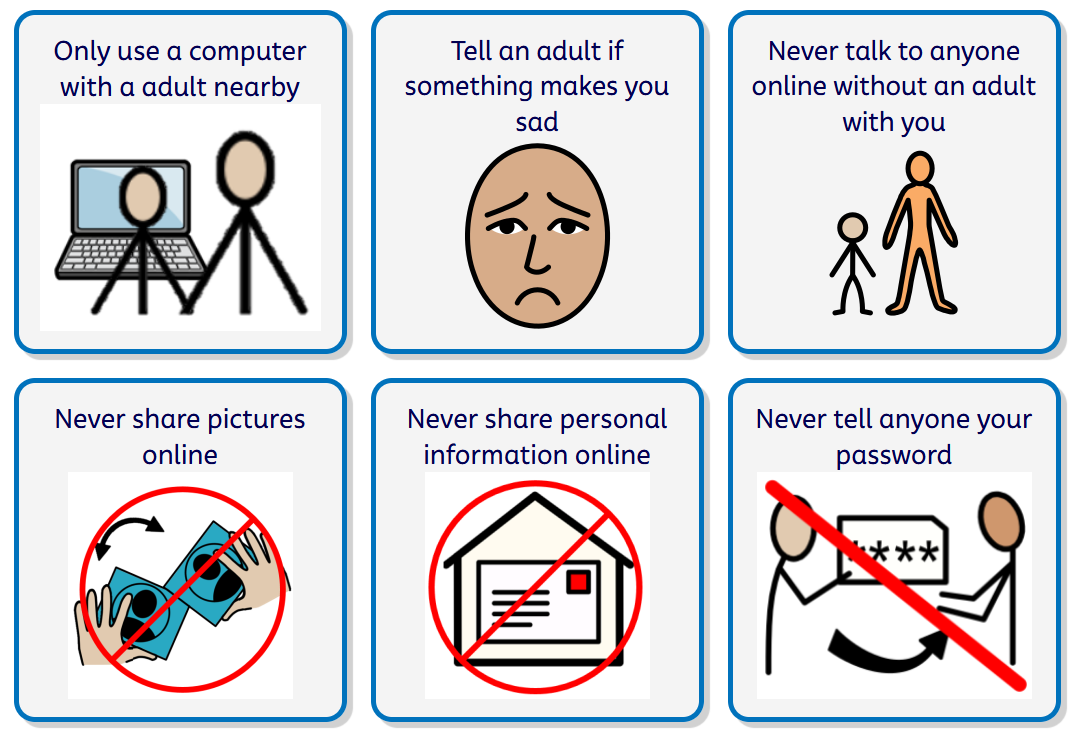
At Kingsbury Primary School, we understand that our pupils may need additional support to learn how to stay safe online. We use simple language, visual symbols, repetition and practical activities to help children develop safe online habits. Pupils are taught to use technology with a trusted adult nearby, never share personal information, photographs or passwords, and to tell a trusted adult if anything online makes them feel worried, confused or uncomfortable. We encourage children to stop, ask for help and report concerns straight away. Through personalised teaching, a supportive learning environment, and secure filtering and monitoring systems, we help every child to enjoy technology safely and confidently while developing the skills they need to navigate the online world.
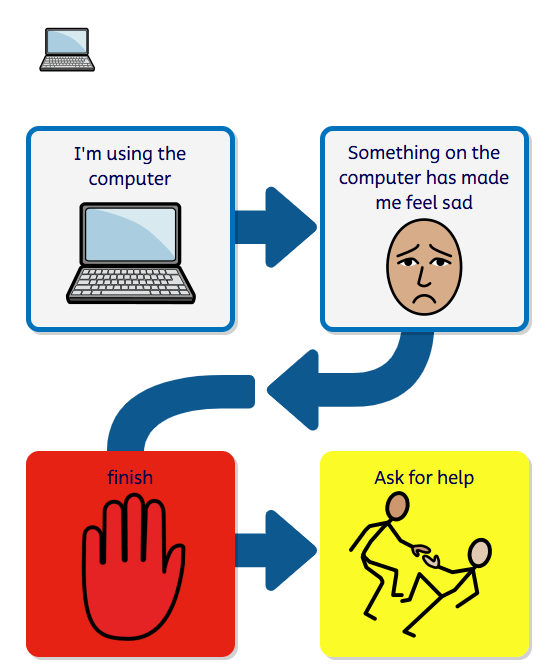
We use the following symbols in class to help our children learn how to remain safe online. If you would like any help with communication and visuals at home, please talk to our pastoral team: Email our Pastoral Team
You can find tips, advice, guides, and resources to help keep your children safe online on the safer internet website here - Guides and Resources; Parental controls and privacy settings guides

Internet Matters are an organisation focusing on the safety of children online. The link below takes you to their dedicated section on keeping children with additional needs safe online, with dedicated guides and advice.
Keep Children Safe Online: Information, advice, support - Internet Matters
Some particularly helpful guides include:

The NSPCC have a page dedicated to Online safety for families and children with SEND. This includes advice on supporting children through the change as the Social Media Ban for under 16s comes into force in Spring 2027 in the UK.
Online safety for children with SEND | NSPCC

Through #WakeUpWednesday, The National College aim to equip every trusted adult with the knowledge and skills they need to keep up with the latest information, implement best practice and heighten their awareness of issues around three core topics; online safety, mental health & wellbeing; and climate change & sustainability.
You can download the Wake up Wednesday apps here:
Wake up Wednesday app iPad/iPhone Wake up Wednesday app Android
Please see below for a selection of guides
10 top tips - Essential Online Safety
Parental Controls for iPhone apps
How to protect your privacy - Apple
Mental Health Misinformation Online
10 top tips - Supporting Safe Use of AI
Fostering a sense of Belonging
Parental Controls for Android Apps
How to protect your privacy - Android
Parental Controls - android devices
What parents need to know about children's devices
What parents need to know about home devices
How to manage what children watch on TV